Rental Income and Expense Spreadsheet for Short-Term Stays
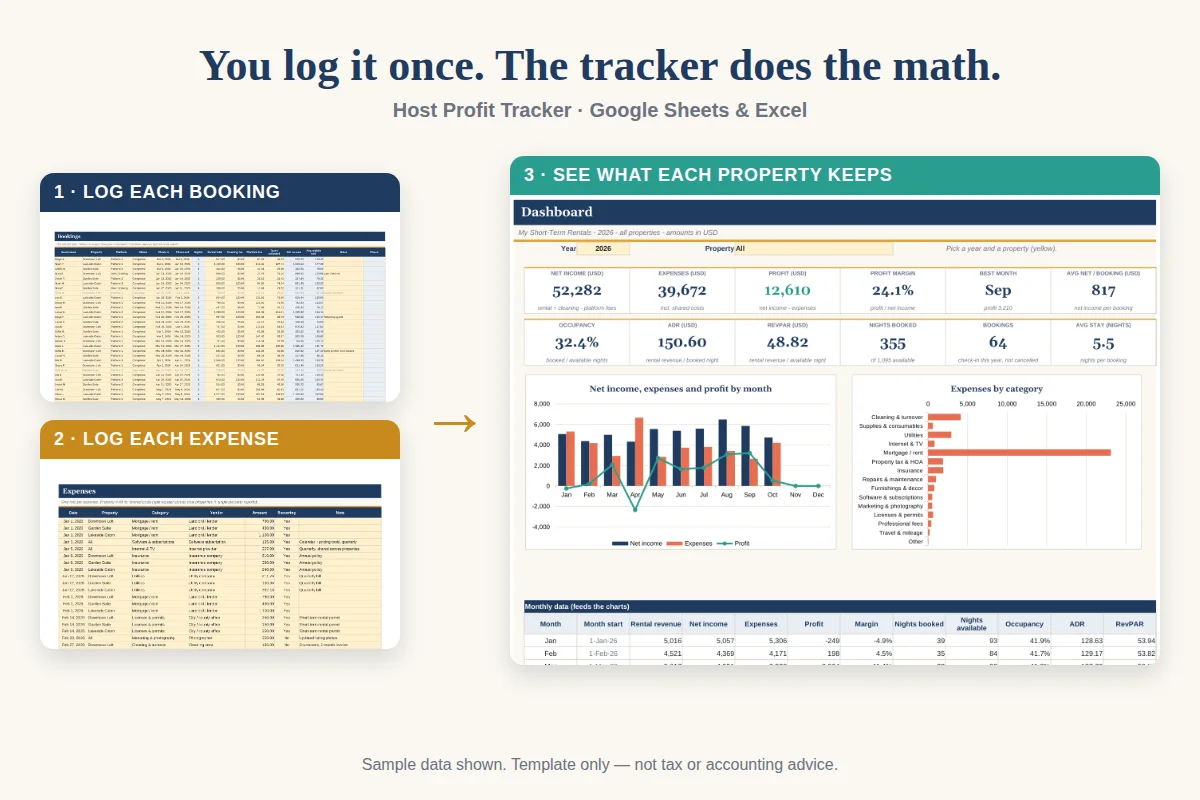
A rental income and expense spreadsheet for short stays logs every booking with its dates, nights, fees and payout, logs every expense with a category, and summarizes both by month and property. Generic rental spreadsheets assume one monthly rent; short stays need more detail. This page explains the differences and gives you a layout for Google Sheets or Excel.
Why short stays need a different layout
| Long-term rental | Short-term rental | |
|---|---|---|
| Income entries | One per month | One per booking |
| Rate | Fixed | Changes by night and season |
| Nights | Not tracked | Core to performance |
| Fees | Rare | Platform and cleaning |
| Turnovers | Rare | Frequent |
| Key metrics | Rent, vacancy | Occupancy, ADR, RevPAR, net payout |
A sheet built for long-term rent will not show you nights, fees or performance by property, and you will end up patching it.
The four tabs you need
1. Settings
Property names, platforms, expense categories, currency and year. Keep lists here so dropdowns in the logs use them.
2. Bookings
One row per booking:
- Guest or reference
- Property
- Platform
- Check-in and check-out dates
- Nights (check-out minus check-in)
- Nightly total
- Cleaning fee
- Platform fee
- Taxes collected
- Net payout
3. Expenses
One row per expense:
- Date
- Property
- Category (from Settings)
- Vendor
- Amount
- Notes or receipt reference
See the expense categories checklist.
4. Monthly summary
A grid with months across and properties down, calculated with SUMIFS:
- Income (net payout)
- Expenses
- Profit
- Nights booked
- Occupancy
- ADR
Formulas that work in both tools
Stick to functions common to Google Sheets and Excel: SUMIFS, COUNTIFS, IFERROR, INDEX and MATCH, EOMONTH, DATE, YEAR, MONTH, TEXT, MAX, MIN and ROUND.
- Nights: =IFERROR(CheckOut - CheckIn, 0)
- Month total: =SUMIFS(Payout, Property, X, CheckInMonthKey, Y)
- Days in month: =DAY(EOMONTH(date, 0))
- Occupancy: =IFERROR(NightsBooked / DaysInMonth, 0)
Add a helper column in Bookings for the month of check-in. For stays that cross a month, split them or use a daily approach so nights land in the right month.
Read the results
After a month of data, look at profit by property, nights booked, occupancy and ADR. The occupancy, ADR and RevPAR guide explains how to interpret each number. Compare the same month over years to see seasonality.
Keeping it reliable
- Enter bookings when they end, and expenses weekly.
- Use dropdowns to avoid typos.
- Do not insert rows in the middle of calculated ranges.
- Keep a backup copy each month.
- Protect formula cells.
Free-form or ready-made
You can build the layout above in an afternoon. If you prefer a finished file, see the guide to expense tracker spreadsheets for what to look for before you pick one.
What The Stayworks Host Kit offers
The Stayworks Host Kit includes the Host Profit Tracker, a 9-tab file for Google Sheets and Excel. It has a bookings log and an expenses log with dropdowns, a monthly profit and loss by property, a dashboard with a year and property selector, a property comparison, an annual summary, an occupancy calendar and a five-year plan that uses your own assumptions. Nights are calculated for you. Sample data is included and can be deleted. The kit is $19.00 one time and also includes a welcome book, signs, checklists and a playbook for hosts.
It is a template for organizing your records, not tax or accounting advice. Check your local rules.
Quick checklist
- One row per booking.
- Nights, fees and net payout in separate columns.
- Expenses in fixed categories.
- Summarize by month and property.
- Use common formulas.